
TFT Unlock Tool v6.2 Pro Android Repair Tool Latest 2027
Android phones can become difficult to service when they are stuck in boot loops, affected by firmware errors, locked by FRP, or experiencing other software-related problems. TFT Unlock Tool brings several Android servicing functions into one Windows-based utility, including device information, firmware flashing, ADB and Fastboot operations, and selected unlocking and repair features. With support for various Android brands and chipsets, it gives technicians a centralized workspace for common software maintenance tasks.
One phone, one problem, one servicing toolkit — less switching, more fixing. 🔧
Also Check: BFT Tool
What Is TFT Unlock Tool?
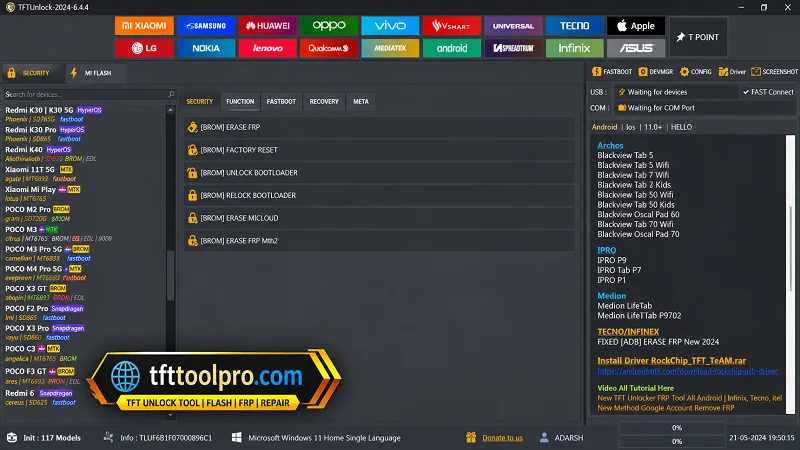
TFT Unlock Tool v6.2 is a Windows-based Android servicing application designed for firmware management, device diagnostics, software maintenance, and selected unlocking operations. The supplied information lists support for ADB, Fastboot, MediaTek, and Qualcomm platforms.
It is also described as supporting brands such as Samsung, Xiaomi, OPPO, Vivo, Realme, Motorola, Huawei, LG, Nokia, and Infinix. Actual functionality can vary depending on the device model, chipset, Android version, security patch, and tool release.
TFT Unlock Tool Features 2027
FRP Servicing
TFT Unlock Tool includes FRP-related functions for supported Android devices. These operations should only be used on devices that you own or are authorized to service.
Firmware Flashing
The tool can be used for supported firmware flashing workflows. Reinstalling compatible firmware may help address certain software problems, boot loops, or system errors.
Always verify the exact model and firmware package before starting a flash.
Screen Lock Servicing
The supplied feature list includes operations related to PIN, password, pattern, and other supported screen-lock situations. Availability depends on the device and software version.
IMEI Repair
TFT Unlock Tool includes IMEI-related repair functions for supported devices. Any IMEI operation should use the device’s original identification information and comply with local laws.
ADB & Fastboot Support
ADB and Fastboot provide communication between the Windows computer and compatible Android devices. TFT Unlock Tool uses these connection methods for various supported servicing operations.
MediaTek & Qualcomm Support
The supplied information lists support for MediaTek and Qualcomm chipsets, giving technicians access to different servicing workflows depending on the connected device.
Multi-Brand Compatibility
The provided list includes:
- Samsung
- Xiaomi
- OPPO
- Vivo
- Realme
- Motorola
- Huawei
- LG
- Nokia
- Infinix
Support is model-dependent, so a brand being listed does not mean every device from that manufacturer is supported.
Device Information
The tool can display available information such as:
- Device model
- Android version
- Firmware information
- Chipset details
- Connection information
Reading device information before performing a service operation can help confirm the correct workflow.
Fast Device Detection
The supplied description highlights quick device detection and lightweight processing. Performance can still depend on the Windows PC, USB connection, drivers, and connected device.
User-Friendly Interface
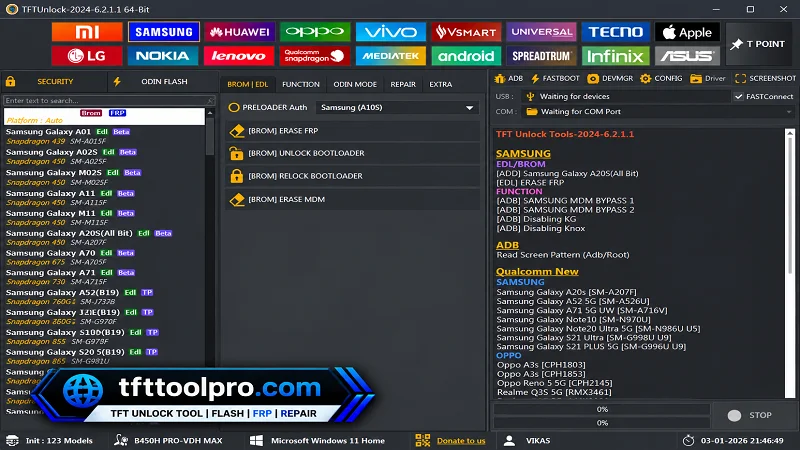
TFT Unlock Tool is designed around a straightforward Windows interface that groups different Android servicing functions.
Good servicing starts with good device information — check first, repair second. 😄
TFT Unlock Tool System Requirements
According to the supplied information, the basic requirements are:
| Requirement | Specification |
|---|---|
| Operating System | Windows 7, 8, 10, 11 |
| Processor | Intel or AMD |
| RAM | 4 GB or higher |
| Free Storage | 1 GB |
| Drivers | ADB, Fastboot & Android USB drivers |
How to Download and Install TFT Unlock Tool?
Installing TFT Unlock Tool on Windows generally involves the following steps:
- Download the TFT Tool from the link below or from a trusted Website.
- Extract the ZIP or RAR archive using WinRAR or 7-Zip.
- Open the extracted folder.
- Run the setup or executable as Administrator.
- Install the required Android USB drivers.
- Install or configure ADB and Fastboot drivers if required.
- Connect the supported Android device using a reliable USB cable.
- Launch TFT Unlock Tool and check whether the device is detected.
How to Use TFT Unlock Tool?
- Connect the supported Android phone to your Windows PC.
- Select the appropriate connection mode, such as ADB or Fastboot.
- Read the device information before selecting an operation.
- Choose the required servicing module.
- Verify the model, firmware, and selected options.
- Start the operation and keep the USB connection stable.
- Wait for the process to finish before disconnecting the device.
- Reboot the phone and check the result.
For firmware operations, using the wrong package or interrupting the process can cause additional software problems.
Common TFT Unlock Tool Connection Problems
If the tool does not detect your phone, check the following:
- Install the correct Android USB driver.
- Try another USB cable.
- Try another USB port.
- Confirm the required ADB or Fastboot mode.
- Reinstall the device drivers.
- Restart the tool as Administrator.
- Check Windows Device Manager.
- Confirm that the specific device is supported.
Is TFT Unlock Tool Free?
The supplied information states that some versions of TFT Unlock Tool may be available with limited functionality, while other releases can require activation for advanced features. Licensing and available functions may vary between versions.
Pros & Cons
Pros
- Supports ADB and Fastboot.
- Includes MediaTek and Qualcomm workflows.
- Provides firmware flashing functions.
- Offers device information tools.
- Supports multiple Android brands.
- Includes several Android servicing functions in one interface.
Cons
- Features vary between device models.
- Some operations require specific drivers or connection modes.
- Advanced functions may require activation.
- Incorrect firmware can cause additional software problems.
FAQs
What is TFT Unlock Tool used for?
TFT Unlock Tool is a Windows-based Android servicing utility for supported firmware, device information, ADB, Fastboot, and other software-maintenance operations.
Which Android brands are supported?
The supplied information lists Samsung, Xiaomi, OPPO, Vivo, Realme, Motorola, Huawei, LG, Nokia, and Infinix, although compatibility varies by model.
Does TFT Unlock Tool support ADB and Fastboot?
Yes. ADB and Fastboot are listed among its supported Android connection methods.
Does TFT Unlock Tool support MediaTek and Qualcomm?
Yes. The supplied information lists both MediaTek and Qualcomm chipset support.
What are the minimum system requirements?
The supplied requirements include Windows 7/8/10/11, an Intel or AMD processor, at least 4 GB RAM, 1 GB free storage, and the required Android drivers.
Is TFT Unlock Tool free?
Some versions may offer free or limited functionality, while certain releases or advanced features may require activation.
Can TFT Unlock Tool flash firmware?
Yes, firmware flashing is listed as one of its features for supported devices and compatible firmware packages.
Conclusion
TFT Unlock Tool brings device information, firmware flashing, ADB, Fastboot, MediaTek, Qualcomm, and other Android servicing functions into one Windows-based interface. Its multi-brand approach can be useful for technicians who regularly work with different Android devices.
However, support is not universal, and individual functions depend on the phone model, chipset, Android version, security level, drivers, and tool release. Always verify compatibility and firmware before performing advanced servicing operations.